
AI Tools for Content Creators in Practical Media Workflows
We use affiliate links. If you purchase something using one of these links, we may receive compensation or commission.
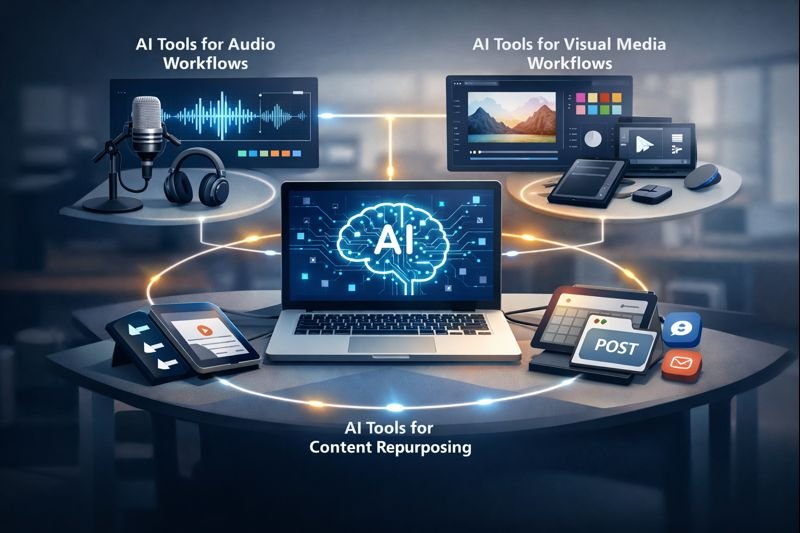
Content creation today goes far beyond blogging. Video, audio, visuals, and multi-platform publishing are now part of everyday workflows. AI tools for content creators help manage this complexity by automating repetitive tasks while keeping creators focused on the creative side of their work.
Instead of replacing human input, AI fits into practical media workflows where speed, consistency, and quality matter. From cleaning up audio and editing video to generating visuals and repurposing content across platforms, AI can support each production step without adding unnecessary overhead.
In this post, we look at how AI tools for content creators are used in real-world media workflows, with a focus on audio, video, and visual content. The goal is not to list every tool available, but to show where AI makes the biggest difference in everyday content production.
AI Tools for Content Creators in Audio Workflows
Audio is often the first place where creators feel the pressure of time. Recording, cleaning, editing, and preparing audio for different platforms can quickly become repetitive. This is where AI tools for content creators bring practical value by handling technical tasks that would otherwise slow down production.
In audio workflows, AI is commonly used for noise reduction, volume leveling, and basic sound cleanup. These tools can automatically remove background hum, normalize speech, and improve clarity without requiring advanced audio engineering skills. For creators working with podcasts, voiceovers, interviews, or music demos, this can significantly shorten post-production time.
Another important use case is transcription. AI tools for content creators can convert spoken audio into text, making it easier to create captions, show notes, summaries, or repurposed written content. This is especially useful when audio content is reused across blogs, newsletters, and social platforms.
Used carefully, AI in audio workflows acts as an assistant rather than a replacement. It supports consistent sound quality and faster turnaround while leaving creative decisions, tone, and final approval firmly in the creator’s hands.
AI Tools for Content Creators in Visual Media Workflows
Visual content plays a major role in how media is discovered and consumed. Thumbnails, cover images, social graphics, and simple illustrations often determine whether content gets clicked or ignored. AI tools for content creators help simplify visual workflows by reducing the time needed to produce consistent, platform-ready visuals.
In visual media workflows, AI is commonly used to generate or enhance images, adjust layouts, and resize assets for different platforms. Instead of creating multiple versions of the same image manually, AI-assisted tools can adapt visuals to specific formats while maintaining a consistent look and feel.
Many modern media workflows already rely on AI-assisted tools, a trend also highlighted by Adobe’s overview of AI in content creation.
Another practical use of AI tools for content creators is style consistency. When producing content across multiple platforms, keeping visuals aligned with a brand or theme can be difficult. AI can help apply similar color tones, layouts, or visual patterns, making the overall presentation feel more cohesive without requiring advanced design skills.
Used carefully, AI in visual workflows supports efficiency rather than creativity replacement. Creators still decide the message, tone, and final presentation, while AI helps handle repetitive design adjustments that would otherwise slow down production.
AI Tools for Content Repurposing
Creating content takes time, which makes reuse an important part of any practical workflow. Instead of starting from scratch for every platform, AI tools for content creators make it easier to repurpose existing audio, video, and visual content into multiple formats.
In content repurposing workflows, AI is often used to extract highlights, generate summaries, and adapt content for different audiences. A long video can be turned into short clips, an audio recording can become written captions, or a single visual asset can be adjusted for several platforms. This approach helps creators extend the life of their work without multiplying effort.
Another advantage of AI tools for content creators is speed. Automated repurposing reduces the manual steps involved in editing and formatting, allowing creators to focus on deciding where and how content should appear. This is especially useful when managing multiple channels or maintaining a regular publishing schedule.
When used responsibly, AI-driven repurposing supports consistency and efficiency. It helps creators stay active across platforms while keeping control over context, tone, and final output.
Repurposed content often relies on AI writing tools to adapt audio or video into summaries, captions, and written formats.
AI Tools for Content Creators in Publishing Workflows
Publishing content across multiple platforms often involves more work than expected. Titles, descriptions, formatting, and scheduling all need attention, and small mistakes can easily slip through. AI tools for content creators help simplify publishing workflows by supporting consistency and reducing repetitive manual tasks.
In publishing workflows, AI is commonly used to assist with metadata creation, such as titles, descriptions, and summaries tailored to different platforms. This can help creators adapt the same content for blogs, video platforms, newsletters, and social media without rewriting everything from scratch.
Scheduling and coordination are another area where AI tools for content creators add practical value. By organizing publishing times and maintaining a steady flow of content, AI-assisted tools help creators stay consistent without feeling overwhelmed by daily posting requirements.
Used carefully, AI in publishing workflows supports planning rather than decision-making. Creators remain responsible for what is published and when, while AI helps manage the operational side of content distribution.
Publishing workflows also benefit from understanding SEO basics, especially for AI for SEO beginners who want to stay compliant.
Choosing AI Tools for Content Creators by Workflow Needs
With so many options available, choosing the right tools can be more challenging than using them. AI tools for content creators are most effective when they match specific workflow needs rather than trying to do everything at once.
A practical approach is to look at your existing production steps and identify where time is lost. For some creators, audio cleanup or transcription is the bottleneck. For others, it may be video editing, visual design, or publishing coordination. Selecting AI tools that address these exact stages helps avoid unnecessary complexity and tool overload.
Experience level also matters. Beginners often benefit from simple, focused tools that automate one task well, while more advanced creators may prefer flexible solutions that integrate into established workflows. In both cases, AI tools for content creators should support efficiency without replacing creative judgment.
When used with clear goals, AI becomes part of a sustainable workflow. It helps creators work faster and more consistently while maintaining control, quality, and accountability.
Choosing the right tools also means understanding AI-related risks, especially when AI is used across multiple stages of content creation.
If you’re exploring AI across blogging, media, and publishing, the AI for Bloggers Quick-Action Checklist helps you use these tools safely and effectively.
FAQ
What are AI tools for content creators used for?
AI tools for content creators are commonly used to support audio editing, video production, visual media creation, content repurposing, and publishing workflows. They help reduce repetitive tasks while creators retain full control over the final output.
Can AI tools replace human creativity in media workflows?
No. AI tools assist with speed, organization, and basic production tasks, but they cannot replace human creativity, judgment, or originality. AI works best as a supportive assistant rather than a creative replacement.
Are AI tools for content creators safe to use?
AI tools are generally safe when used responsibly. Creators should pay attention to data privacy, copyright rules, and content accuracy. Reviewing outputs and understanding tool policies helps avoid common risks.
Conclusion
Content creation today involves much more than writing. Audio, video, visuals, and publishing workflows all demand time and consistency. When used thoughtfully, AI tools for content creators help reduce friction in these workflows by handling repetitive tasks while leaving creative control in human hands.
The key is not adopting every new tool, but choosing AI solutions that support real production needs. Whether it’s audio cleanup, video editing, visual assets, content repurposing, or publishing coordination, AI works best as a practical assistant rather than a replacement.
As with any workflow change, responsible use matters. Creators should stay aware of accuracy, ownership, and ethical considerations when integrating AI into their process. For a broader look at using AI responsibly and strategically, this topic fits naturally alongside guidance found in the pillar post “AI for Bloggers: How to Use It Safely and Effectively in 2025.”
Used with intention, AI can help content creators work more efficiently, stay consistent, and focus on what matters most: creating meaningful content.
For a broader view on responsible and strategic AI use, this topic fits naturally alongside guidance in our pillar post on using AI safely and effectively.