Content Clusters for Beginners: A Simple Guide.
We use affiliate links. If you purchase something using one of these links, we may receive compensation or commission.
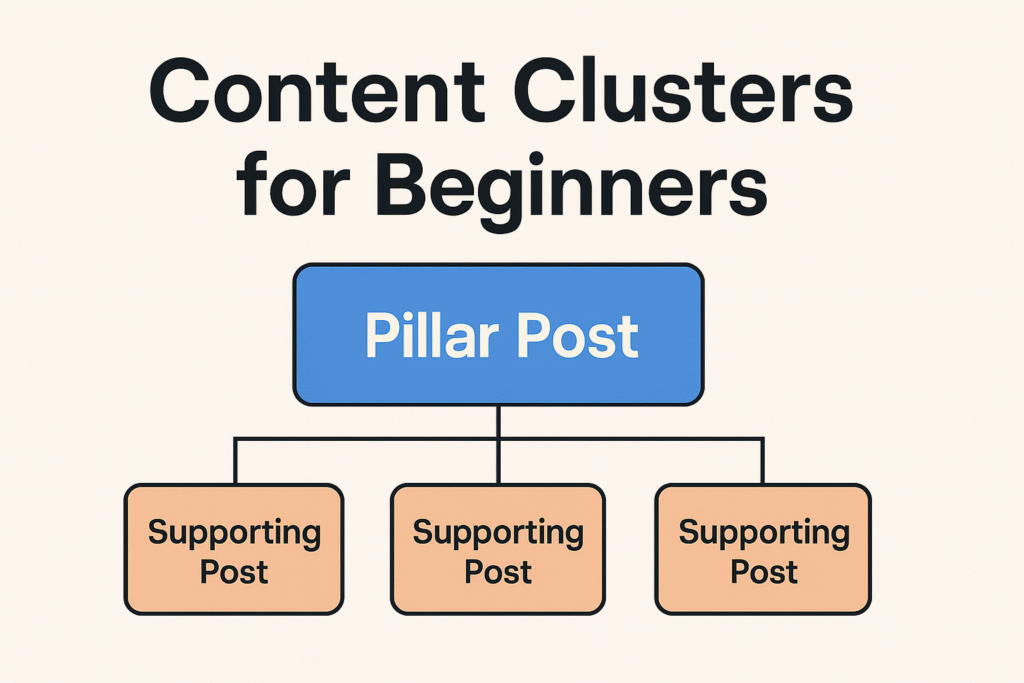
Content clusters for beginners might sound technical, but they’re actually one of the simplest SEO strategies for new bloggers. A cluster keeps your content organized, strengthens your rankings, and makes it easier to decide what to write next.
This guide explains what clusters are, why they work, and how you can create one even if your blog is brand new.
If you’re building your first cluster and want a practical shortcut to plan your posts, you can also download my AI for Bloggers Quick-Action Checklist (2025) — it’s free and helps you outline topics faster.
What Are Content Clusters for Beginners?
A content cluster is a group of connected blog posts that focus on one main topic.
It has three parts:
- A pillar post: the main, in-depth guide
- Several supporting posts: smaller articles answering specific questions
- Internal links connecting everything
Think of it as a tree:
- The trunk = pillar
- The branches = supporting posts
- The roots = internal links holding it all together
Example cluster (generic):
| Topic | Type | Purpose |
|---|---|---|
| “How to Start Email Marketing” | Pillar | Big overview |
| “What Is an Email List?” | Supporting | Beginner explanation |
| “Best Email Tools for New Bloggers” | Supporting | Tools overview |
| “How Often Should You Email Subscribers?” | Supporting | Common question |
This structure sends a clear message to Google:
“This blog covers this topic in depth.”
For a deeper look at how clusters became a core SEO strategy, HubSpot has a helpful breakdown here:
Topic Clusters: The Next Evolution of SEO
Why Content Clusters for Beginners Work So Well
1. Google understands your site faster
A new blog with random posts is hard for Google to categorize.
A cluster tells Google exactly what your niche is.
2. You can rank for bigger keywords
Pillar pages target competitive keywords.
Supporting posts feed authority into the pillar through internal links.
Even a new site can start ranking for tougher terms over time.
3. Internal links become natural
Clusters make internal linking simple:
- Supporting → Pillar
- Pillar → Supporting
This helps search engines crawl your site and improves user experience.
4. Your blog stays organized
Instead of jumping between random topics, you build one focused area at a time.
Readers can navigate your content easily because everything is connected.
5. You always know what to write next
Clusters give you a clear roadmap:
- Pick one topic
- Write the pillar
- Write supporting posts
- Link everything
- Update occasionally
No stress, no guesswork.
How to Build a Content Cluster for Beginners (Step-by-Step)
Step 1: Pick a clear topic
Choose something broad with several sub-topics.
Examples (generic):
- AI tools for beginners
- Simple SEO tips
- Fitness at home
- Meal planning
- Photography basics
If you can list 5–10 questions people ask about it, you found a cluster topic.
Step 2: Create your pillar post
Your pillar is the largest, most complete guide on the topic.
It should:
- cover the topic broadly
- include sections for sub-topics
- use clear headers
- be beginner-friendly
- be updated from time to time
Step 3: Write supporting posts
These are shorter, focused articles answering one specific question each.
Example:
- “How to Choose a Beginner Email Tool”
- “Email List vs Newsletter: What’s the Difference?”
- “How to Write a Simple Welcome Email”
Each supporting post links back to the pillar.
Step 4: Add internal links
This is where the magic happens:
- Supporting → Pillar
- Pillar → All supporting posts
These links help search engines understand the structure and pass authority between posts.
Step 5: Update regularly
Clusters are not “one and done.”
Every few months:
- update stats
- add new tools or examples
- refresh screenshots
- check and fix broken links
- write new supporting posts if needed
Clusters grow stronger over time.
Best Topics to Use When Creating Content Clusters for Beginners
Good cluster topics:
- have enough sub-topics
- attract the audience you want
- can support affiliate links, services, or newsletter growth
- match your long-term niche
Examples of strong beginner-friendly cluster themes:
- “AI tools for beginners”
- “SEO basics for new bloggers”
- “Starting a WordPress site”
- “Social media tips for beginners”
- “Affordable hosting options”
Why Content Clusters for Beginners Help New Blogs Rank Faster
If your site is new, you don’t have domain authority yet.
Clusters help you grow faster because they show depth and expertise.
Large blogs might outrank you with single posts,
but a well-structured cluster is much harder for them to beat.
Final Thoughts on Using Content Clusters for Beginners
Content clusters are one of the simplest and most effective strategies for growing a blog in 2025. They help Google understand your site, boost your rankings, and give you a clear writing plan. Once you build your first cluster, blogging becomes more focused and much easier.